Guide
Ultimate Bitcoin Safety Guide
A practical guide to storing bitcoin safely, choosing the right wallet, backing it up properly, and avoiding the mistakes that lock people out for good.
Why Bitcoin Safety Matters
Bitcoin gives you direct control over your money, but that also means you carry the recovery burden yourself. If your backup is wrong, your device setup is sloppy, or you sign the wrong transaction, there is usually no institution that can undo the mistake for you.
What usually causes loss
- Seed phrases written down incorrectly or stored in only one place
- Phishing pages or fake support asking for recovery words
- Sending funds before testing backup and recovery
- Buying a wallet that is too complex for the owner to operate safely
The good news is that most Bitcoin losses are preventable. Good wallet choice, careful setup, and tested backups go much further than complicated security theater.
Understanding Hardware Wallets
A hardware wallet is a signing device that keeps your private keys away from your everyday computer or phone. It does not make you invincible, but it can sharply reduce exposure to common malware, phishing, and operator mistakes.
How Hardware Wallets Work
Private Keys Offline
Your private keys never leave the device, even when signing transactions.
Secure Signing
Transactions are signed internally on the device, then sent to your computer.
Physical Verification
You verify transaction details on the device screen before approving.
Types of Hardware Wallets
| Type | Examples | Best For |
|---|---|---|
| Multi-Coin | Ledger, Trezor | Users with diverse portfolios |
| Bitcoin-Only | Coldcard, Jade | Bitcoin maximalists |
| Touchscreen | Trezor Model T | Users preferring modern UI |
| Budget | Jade, Trezor One | Cost-conscious beginners |
Learn more about specific models in our Ledger vs Trezor comparison or explore our Coldcard review.
Choosing the Right Hardware Wallet
Not all hardware wallets solve the same problem. Here are the trade-offs that matter most before you buy.
1. Security Architecture
Secure Element vs General Purpose Chip:
- Secure Element (Ledger, Coldcard): Certified tamper-resistant chips (CC EAL5+) that physically protect your keys from extraction attempts.
- General Purpose (Trezor, Jade): Standard microcontrollers with open-source firmware that can be audited by anyone.
Both approaches can be reasonable. Secure elements can improve physical extraction resistance, while general-purpose chips paired with open firmware are easier for the community to inspect.
2. Open Source vs Closed Source
Open Source (Trezor, Coldcard, Jade): Anyone can audit the code for backdoors or vulnerabilities. The community can verify security claims.
Closed Source (Ledger): Some firmware or chip details are not fully inspectable, so you rely more on vendor process and reputation.
Rule of thumb: Pick the wallet whose security model you understand well enough to explain back to yourself. If you cannot describe the trust model, you are not ready to rely on it.
3. Bitcoin-Only vs Multi-Coin
Bitcoin-Only Wallets like Coldcard and Jade focus exclusively on Bitcoin, reducing attack surface and firmware complexity.
Multi-Coin Wallets like Ledger and Trezor support many assets, which can be useful if bitcoin is only part of your holdings.
4. Price Considerations
Price matters less than backup quality and operational fit. A cheaper wallet with a setup you will actually maintain is better than an expensive device you do not understand or never test.
Top Rated Hardware Wallets
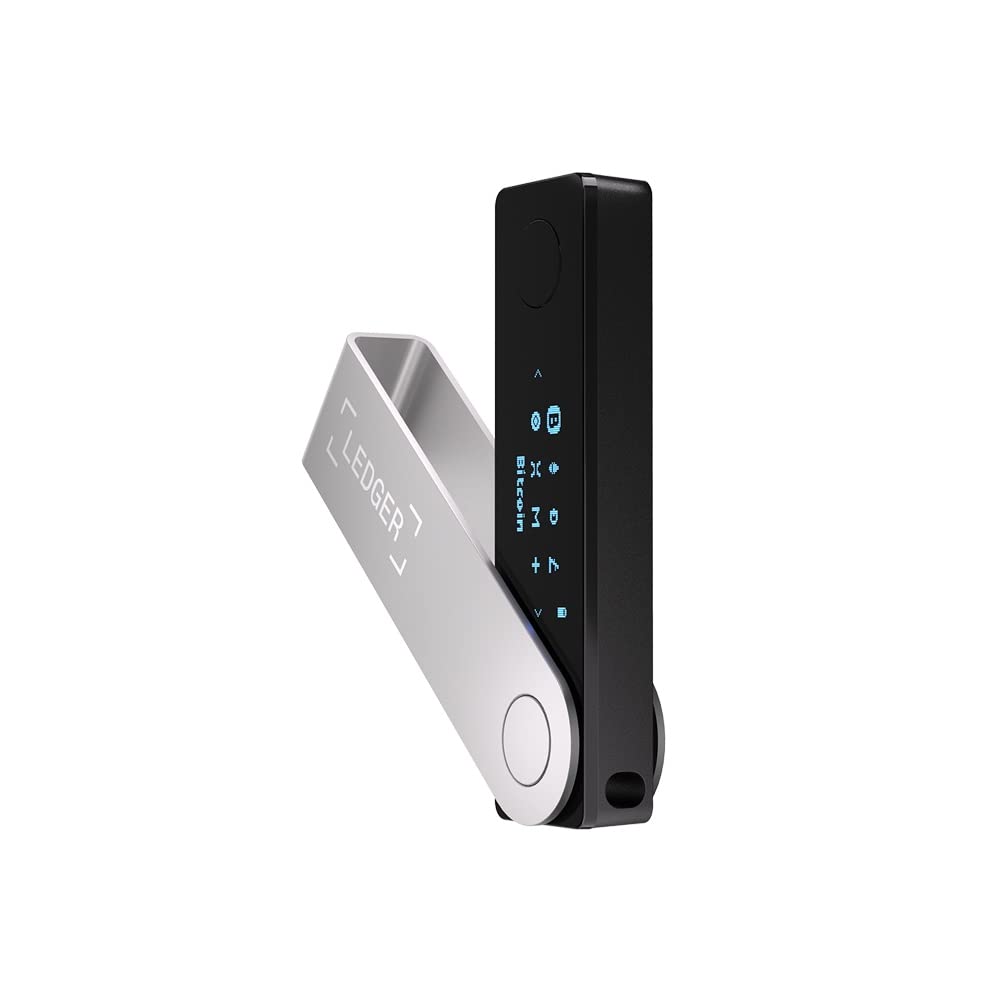
Ledger Nano X
Premium hardware wallet with Bluetooth connectivity and support for 5000+ cryptocurrencies.
Price
$1492 year warranty
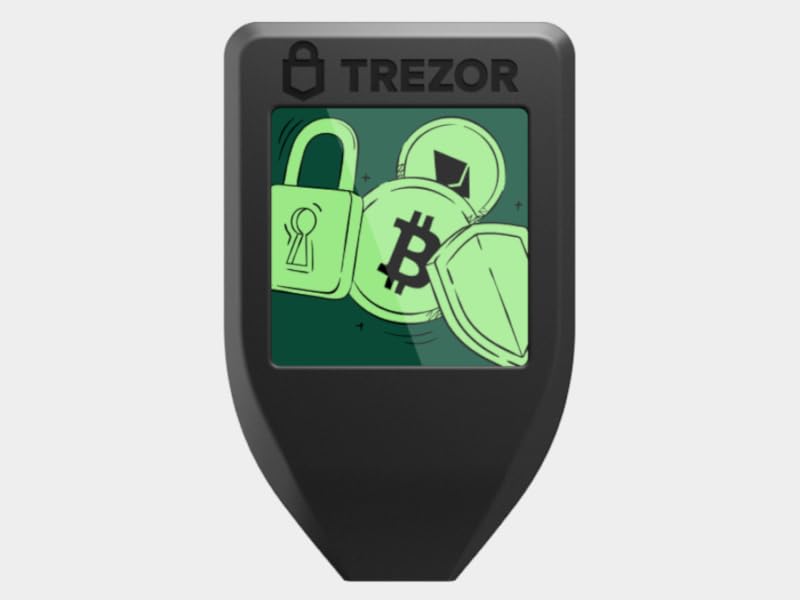
Trezor Model T
Premium open-source hardware wallet with touchscreen and Shamir backup support.
Price
$2192 year warranty
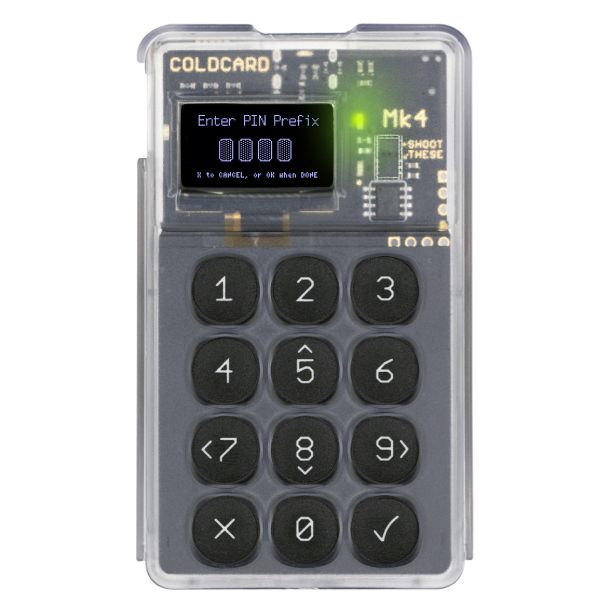
Coldcard Mk4
Bitcoin-only hardware wallet with dual secure elements and advanced air-gapped features.
Price
$1481 year warranty
Seed Phrase Security: Your Most Important Backup
Your seed phrase (also called recovery phrase or backup phrase) is a 12-24 word list that represents your wallet's master private key. It's the most important piece of information in Bitcoin security.
⚠️ Critical Rules
- NEVER store your seed phrase digitally (no photos, no cloud, no computer files)
- NEVER share your seed phrase with anyone, even "support" representatives
- NEVER enter your seed phrase on a website or computer
- ALWAYS keep multiple physical backups in separate secure locations
Best Practices for Seed Phrase Storage
- 1. Write it down clearly - Use the recovery card provided with your hardware wallet or write on acid-free paper with permanent ink
- 2. Verify it's correct - Double-check each word against the BIP39 word list before finalizing
- 3. Store in multiple secure locations - Consider a fireproof safe at home and a safety deposit box at a bank
- 4. Consider metal backup - For long-term storage, engrave seed phrases on steel or titanium plates (fire/water resistant)
- 5. Never store instructions with the seed - Keep instructions separate for security
Advanced: Passphrase (25th Word)
A passphrase is an optional additional word you add to your 24-word seed phrase, creating a completely different wallet. Benefits include:
- Protection against physical seed phrase discovery
- Plausible deniability (hidden wallet with passphrase, decoy wallet without)
- Additional layer of security for large holdings
Warning: If you forget your passphrase, your funds are permanently lost. Passphrases are for advanced users who understand the risks.
Setting Up Your Hardware Wallet: Step-by-Step
Before You Begin
- ✓ Purchase from official manufacturer website (never Amazon/eBay)
- ✓ Verify device hasn't been tampered with (check seals, packaging)
- ✓ Have pen and paper ready for seed phrase
- ✓ Ensure you're in a private location (no cameras, no people watching)
Initial Setup Process
- Unbox and inspect the device
Check for tampering. Legitimate devices should have intact seals.
- Connect to computer and install software
Download official software from the manufacturer's website only.
- Initialize the device
Choose "Create new wallet" (never use a pre-generated seed!).
- Set a strong PIN
Use 6-8 digits. Don't use birthdays or obvious patterns.
- Write down your seed phrase
Write all 24 words in order. Verify them carefully.
- Verify your backup
The device will ask you to confirm random words from your seed phrase.
- Send a small test transaction
Test receiving and sending Bitcoin before transferring large amounts.
- Practice recovery
Reset the device and recover from your seed phrase to verify your backup works.
Security Best Practices
Daily Operations
- Always verify addresses on device screen - Malware can replace addresses on your computer
- Keep firmware updated - Manufacturers release security patches regularly
- Use a dedicated computer for large transactions - Consider an air-gapped setup for maximum security
- Never reuse addresses - Generate a new address for each transaction (hardware wallets do this automatically)
Protecting Against Phishing
Phishing attacks are the #1 threat to Bitcoin users. Common tactics include:
- Fake wallet software or browser extensions
- Emails claiming to be from wallet companies
- Fake "support" asking for seed phrases
- Malicious QR codes at crypto ATMs
Golden Rule: No legitimate company will EVER ask for your seed phrase. If anyone asks, it's a scam.
Advanced: Multisig Wallets
Multisig (multi-signature) requires multiple signatures to authorize a transaction. For example, a 2-of-3 multisig needs 2 out of 3 keys to spend funds.
When to Use Multisig
- Large Holdings: Six-figure+ Bitcoin amounts
- Business Accounts: Requiring multiple approvers
- Inheritance Planning: Distributed keys among family members
- Eliminate Single Points of Failure: No one device/location holds complete control
Learn more in our Multisig Basics Guide.
Inheritance Planning: Passing Bitcoin to Heirs
Without proper planning, your Bitcoin could be lost forever if something happens to you. Here's how to ensure your family can access your funds:
Simple Approach (Single Sig)
- Store seed phrase in a fireproof safe or safety deposit box
- Leave clear instructions for your executor (separate from seed phrase)
- Ensure someone knows the hardware wallet exists
- Consider telling trusted family where backup is located
Advanced Approach (Multisig)
A 2-of-3 multisig setup where:
- You hold 2 keys
- Your spouse/child/attorney holds 1 key
- If something happens to you, they can combine their key with one of yours to access funds
Detailed inheritance strategies in our Inheritance Planning Guide.
Common Mistakes to Avoid
❌ Leaving Bitcoin on Exchanges
"Not your keys, not your Bitcoin." Exchanges can be hacked, freeze accounts, or go bankrupt. Only keep Bitcoin on exchanges if actively trading.
❌ Storing Seed Phrases Digitally
Taking a photo of your seed phrase, saving it in a password manager, or storing it in the cloud defeats the purpose of hardware wallet security. Physical only!
❌ Not Testing Recovery
Many users discover their backup doesn't work when it's too late. Always practice recovery with small amounts first.
❌ Trusting Custodial Services
Services that "hold Bitcoin for you" are custodial and carry counterparty risk. Self-custody with a hardware wallet is always safer for long-term holdings.
❌ Buying Used Hardware Wallets
Never buy a used or "discounted" hardware wallet from third parties. They could be tampered with or come with pre-generated seeds. Always buy directly from manufacturers.
Frequently Asked Questions
What is a safe way to store Bitcoin for the long term?
For most people, that starts with a hardware wallet, a verified backup phrase, and a recovery process you have actually tested. The safest setup is the one you can operate correctly under stress.
Do I really need a hardware wallet?
If you would care about losing the amount you hold, a hardware wallet is usually the right next step. It keeps keys off your everyday phone or laptop and reduces common malware and phishing risks.
How do I back up my Bitcoin?
Back up the wallet recovery phrase during setup, keep it offline, and store copies in secure separate locations. For meaningful amounts, test recovery before sending large funds and consider a more durable backup than a single sheet of paper.
What happens if my hardware wallet breaks?
Your bitcoin is not in the device itself. If the device fails, you can recover with the backup phrase on a compatible wallet, as long as that backup is accurate and accessible.
Checklist Drop
Download the Bitcoin Safety Checklist
Get a free PDF checklist covering all the essential steps to secure your Bitcoin.
We respect your privacy. Unsubscribe at any time.
Related Guides
Ready to Secure Your Bitcoin?
Compare the top hardware wallets and find the perfect one for your needs.